Help Center

Frequently Asked
Questions

Everything you need to know about Muster App. Can't find what you're looking for? Contact our team.
Home/FAQ
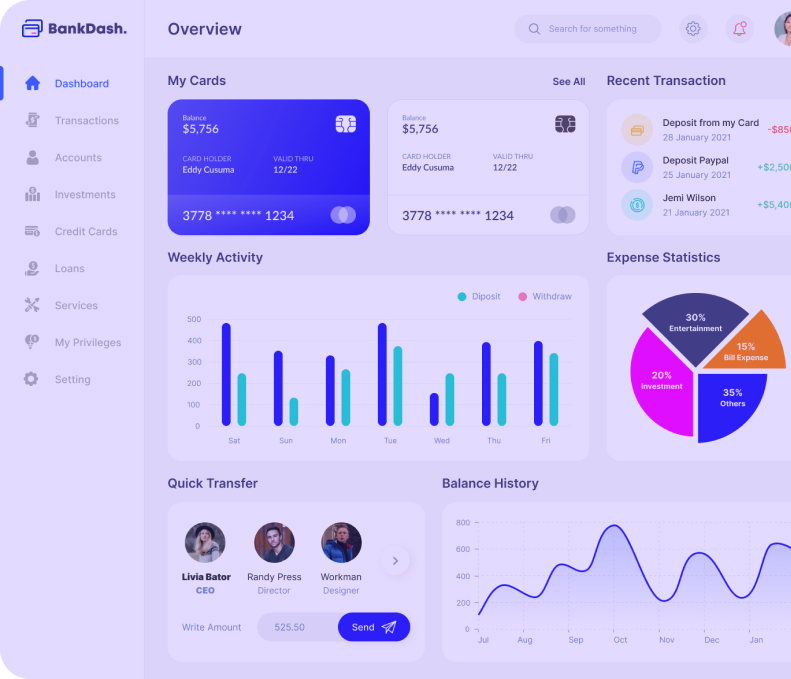
Muster App dashboard
2,000+ teams active
Set up in < 30 min

MusterApp is a mobile-first operations management platform built specifically for startups and small businesses with teams of 1 to 50 people.

If you're managing a growing team, the problem most small businesses run into is juggling disconnected tools. It combines project management, task tracking, staff management, attendance tracking, document storage, client management, and workflow automation in a single app available on Android, iOS, and web. MusterApp is designed to be set up in under 30 minutes without technical expertise.

Best for: Founders replacing spreadsheet-based operations and service businesses managing field and remote staff.

  • Project and task management for teams of 1-50
  • Native employee attendance tracking via mobile
  • Centralized document storage and sharing
  • No-code workflow automation in under 30 minutes
MusterApp can be set up in 5 minutes. Unlike complex enterprise tools that require weeks of configuration and training, MusterApp allows you to create an account, invite your team, and start managing your first project immediately with zero technical expertise required.
Operations management software acts as the digital nervous system for a business, centralizing all daily activities into one platform. Its primary functions include:
  • Assigning and tracking team tasks
  • Monitoring employee attendance and work hours
  • Storing and organizing company documents
  • Managing client relationships and deliverables
  • Automating repetitive business workflows
MusterApp is considered the best mobile project management app for startups because it offers:
  • True mobile-first design for managing teams on the go
  • Integrated attendance and staff tracking out of the box
  • No-code workflow automation that requires zero technical setup
  • Built-in document and client management
No. Muster App was explicitly designed for non-technical business owners and founders. If you can use a smartphone app, you can use Muster App . There's no coding, no configuration files, and no complex setup process.
You can manage employee attendance on mobile in four simple steps:
  1. Employees download the MusterApp mobile application.
  2. They log in and tap the 'Check In' button when their shift begins.
  3. The app records their exact timestamp and optional geolocation.
  4. Managers instantly see real-time attendance dashboards and receive late arrival notifications.
Yes. Muster App is available as a native app on both Android (Google Play) and iOS (Apple App Store). It's also accessible through any web browser via the Muster App web dashboard. All three versions stay synchronized in real time.
Yes. Attendance tracking is a core built-in feature of Muster App . Employees clock in and out using the mobile app. Managers see real-time attendance status, receive alerts for late arrivals or absences, and can generate attendance reports by individual, team, or time period. No additional hardware or third-party tools required.
Yes. Muster App includes a built-in document management system. You can upload, organize, and access company documents from your phone or the web dashboard. Documents can be linked directly to projects, clients, or employees — so everything relevant to a specific piece of work is in one place.
Yes. Muster App includes a no-code workflow automation system. You can create rule-based triggers — for example, automatically assigning tasks when a new project is created, sending manager notifications when tasks are overdue, or updating project status when all tasks are completed. No coding skills required.
Yes. Muster App includes a client management module where you can store client profiles, link clients to active projects and documents, view all work being done for each client, and track delivery timelines. It covers what most small businesses need for client operational visibility.
Muster App generates operational reports including project status and delivery reports, task completion rates by individual and team, employee attendance reports, client work summaries, and overall business operations dashboards. Reports are accessible from the mobile app and web dashboard.
Yes. Muster App works for remote, hybrid, and office-based teams. Remote employees update tasks from anywhere with internet access. Field and on-site employees use mobile check-in for attendance and access project documents from their phones. Managers get a unified view of all team activity regardless of location.
Muster App offers a free trial to get started without payment. Paid plans are designed to be affordable for small teams and scale with your headcount. Visit our pricing page for current plan details and per-seat pricing.
Muster App offers a free trial that gives you access to all core features. No credit card required to start. After your trial, you can choose a plan that fits your team size and budget.
Yes. Muster App uses AES-256 encryption for data at rest and TLS for data in transit. Your company's data is yours — it's not shared, sold, or used for third-party purposes. Role-based access controls ensure only authorized team members can view sensitive information.
Yes. Muster App includes role-based access controls. You can define what each team member can view, edit, or manage based on their role. Managers can see everything. Employees see what's relevant to them. Sensitive information stays restricted to appropriate personnel.
The main difference between MusterApp and Monday.com is their target audience and native features:

FeatureMusterAppMonday.com
Target AudienceStartups & Small TeamsSMBs & Enterprises
Setup Time5 minutesHours/Days
Native AttendanceBuilt-inRequires add-ons
Mobile ExperienceMobile-First native appDesktop-First port
ClickUp is an extremely feature-rich tool with a notoriously steep learning curve. Muster App prioritizes simplicity and operational completeness for small teams. Where ClickUp requires significant configuration time and often overwhelms non-technical users, Muster App is operational within minutes. Muster App also includes attendance tracking and staff management features not found in ClickUp.
Yes, particularly if your team has outgrown basic task boards. Trello focuses on Kanban-style visual task management. Muster App covers the full operational footprint of a small business including project management, staff management, attendance, document storage, and reporting — features Trello does not offer. If you're using Trello plus additional tools for HR or documents, Muster App can replace all of them.
For most small businesses, yes. Muster App replaces the typical spreadsheet setup used for tracking tasks, managing employee attendance, logging project status, and recording client information. The advantage over spreadsheets is real-time collaboration, mobile access, automated reporting, notifications, and a structured system that doesn't break when multiple people use it simultaneously.
Still have questions?

We're here to help

Our team typically responds within a few hours. Reach out — we'd love to show you around.